

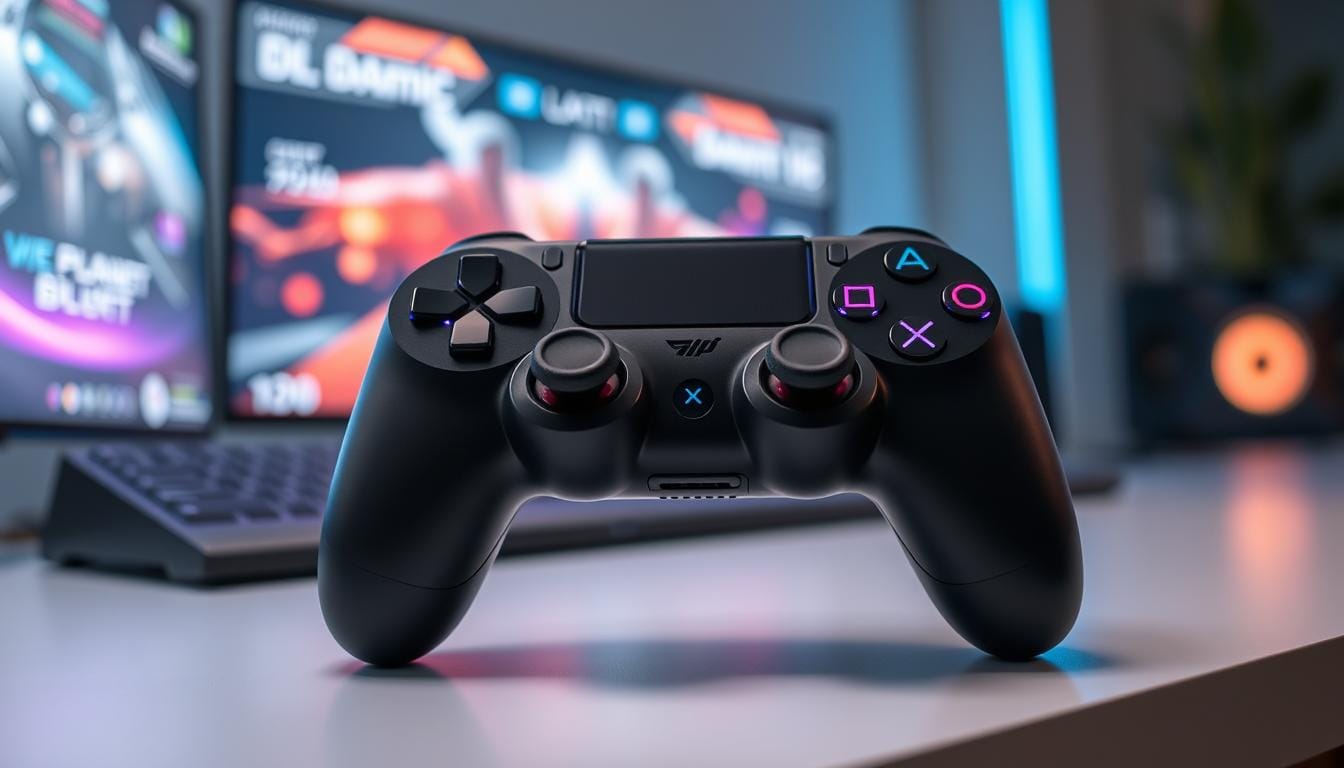
In today’s mobile-first world, touchscreen controls often fall short — enter gaming bluetooth controllers, the must-have accessories that deliver precision gaming and a true wireless gaming experience. The Razer Kishi Ultra stands out by turning your smartphone into a near-console rig.
At just 0.59 pounds, the Kishi Ultra is lightweight yet engineered for performance. Modern controllers give players better aim, faster inputs, and more comfortable sessions than touch controls alone.
Key Takeaways
- Razer Kishi Ultra delivers superior precision and console-like control for immersive mobile gaming.
- Choose the right controller by comparing weights, connection types, and compatibility across models such as ASUS ROG Tessen, Scuf Nomad, and Backbone One.
- Many wireless controllers now offer long battery life—some models approach or exceed 16 hours—so check specific specs before you buy.
- Wide compatibility (for example, the 8BitDo Ultimate Controller) enables easy cross-platform play across phones and consoles.
- Advanced tech like Hall Effect sensors and customizable profiles adds value for competitive and casual gamers alike.
- Ergonomic, portable designs mimic console controllers to support long play sessions without fatigue.
- The rise of high-quality Gaming Bluetooth Controllers reflects growing demand from Android and iOS players seeking a better experience.
The Evolution of Mobile Gaming and Bluetooth Controllers
The rise of powerful, console-quality mobile games has driven a rapid mobile gaming evolution, and Bluetooth controllers are at the center of that shift. Early controllers were often wired and limited in scope, but innovations in connectivity, sensor tech, and ergonomics have turned them into fully featured peripherals that rival traditional gaming console controllers.
Bluetooth controllers accelerated this change by giving players a truly wireless option for serious play. Modern examples like the Razer Kishi Ultra pair hardware improvements with companion apps (Razer Nexus) to deliver deeper customization and consistent performance across devices.
“The sophistication of today’s mobile gaming controllers mirrors the complex nature of the games they are designed to play, pushing the boundaries of what mobile games can achieve.”
Cloud gaming and remote-play services have further expanded what mobile devices can run, making low-latency controllers essential for enjoyable gameplay on phones and tablets.
- Cloud gaming advances enable smoother play of AAA titles on mobile, reducing reliance on raw device power.
- Expandable and modular controller designs support a wide range of phone sizes and use cases.
- App-driven customization (like Razer Nexus) personalizes button mappings, profiles, and performance settings.
The market for mobile wireless gaming controllers is growing, with major ecosystem players—Apple, Microsoft, and Sony—adding support and standards that improve cross-device compatibility. That trend makes it easier to use a single controller with multiple platforms, from phones to PCs to cloud-streamed Xbox titles.
In short, continued gaming controller innovation and broader platform support are turning mobile devices into viable gaming rigs — and they’re doing it wirelessly, with better ergonomics and compatibility than ever before.
The Importance of Ergonomic Design in Gaming Controllers
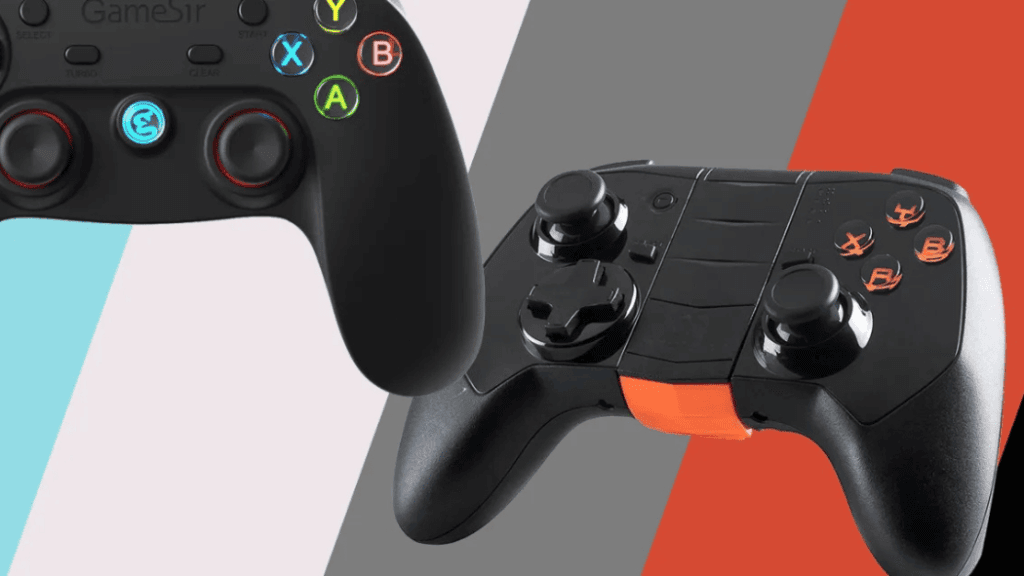
Comfort matters: gamers often play for hours, and an ergonomic controller reduces fatigue, improves input accuracy, and lowers the risk of strain. Thoughtful shape, grip materials, button layout, and weight distribution all combine to create a controller that feels natural in hand.
Ergonomic gaming controllers are built to fit human anatomy, with contoured grips, soft-touch finishes, and well-placed controls. For example, some brands (like Meetion) emphasize user comfort through textured grips and balanced layouts—see the linked article for ergonomic research and best practices.
Key ergonomic features to look for
Top ergonomic designs include:
- Comfortable grip shape and surface (reduces slippage and hand strain)
- Balanced weight so the controller doesn’t feel top- or bottom-heavy
- Well-spaced buttons and triggers to avoid finger cramping
- Anti-drift thumbsticks or Hall Effect sensors to reduce corrective movements
Evaluating comfort for long sessions
When testing controllers like the Scuf Nomad and Backbone One, check factors such as grip texture, button travel, and how the device handles extended play. Ergonomic controllers typically offer soft-touch materials, modular thumb caps, and an overall shape that keeps wrists neutral.
A short buyer checklist: try to hold a controller before you buy (or check return policies), review manufacturer weight and dimensions, and read user feedback about long-session comfort. Ergonomics isn’t just a luxury — for many players, it’s essential to better performance and endurance.
Top Features in Modern Gaming Bluetooth Controllers

Modern gaming Bluetooth controllers pack hardware and software features that matter: low-latency wireless connections, reliable sensor tech, and customization for different play styles. Flagship models like the Razer Kishi Ultra add programmable macro buttons and customizable RGB, while performance-focused options such as the ASUS ROG Tessen offer adjustable dead zones and mechanical switches for consistent actuation.
These feature sets turn a simple wireless controller into a pro-level tool—helping with faster inputs, cleaner aim, and longevity during long sessions.
- Passthrough charging: play while charging to extend session length and avoid interruptions.
- Precise joystick tracking: advanced sensors (Hall Effect or tuned potentiometers) reduce drift and improve accuracy in fast games.
- Software customization: companion apps let you remap buttons, save profiles, and tweak dead zones for each game.
Improved Bluetooth standards and implementation reduce input lag and connection drops, which is crucial for competitive play. Combined with better battery life and build quality, today’s controllers deliver a portable, responsive experience that bridges mobile and console gaming.
In short, the best modern controllers blend hardware (sensors, switches, battery) and software (custom profiles, firmware updates) so players get the performance they need—whether they want a budget wireless controller for casual play or a pro-level device for esports.
Best Gaming Bluetooth Controller for Enhanced Responsiveness
If you want an edge in fast-paced play, responsiveness matters most. The best Bluetooth gaming controller for competitive scenarios combines low-latency connections, precise sensors, and tactile controls so your inputs register instantly and predictably.
Latency is the delay between your input and the game registering it — aim for under 20 milliseconds for competitive play. Some ultra-low-latency (ULL) implementations have advertised single-digit or ~1ms figures in lab tests, but real-world results depend on device, OS, and Bluetooth stacks, so check independent benchmarks when possible.
What Makes a Controller Highly Responsive?
Key hardware and connection choices drive responsiveness: direct wired or USB-C passthrough modes eliminate wireless lag, Hall Effect joysticks reduce drift for consistent tracking, and mecha-tactile or mechanical buttons deliver crisp actuation for faster repeat inputs. Firmware and companion apps that support performance profiles also help tune responsiveness for specific games.
How to choose for esports
Quick checklist:
- Target latency: under 20 ms for competitive play; lower is better.
- Prefer controllers with wired/USB-C passthrough or proven ULL Bluetooth implementations.
- Look for Hall Effect sensors or high-grade potentiometers to minimize drift.
- Choose crisp mechanical or mecha-tactile buttons for consistent feedback and faster actuation.
Top rated controllers for quick reactions
Models like the Razer Kishi Ultra (USB-C mode) and pro-focused options such as the Scuf Nomad or ASUS ROG Tessen are designed with responsiveness in mind—fast switches, tuned dead zones, and sensor tech that reduce corrective movements. Always compare manufacturer specs and third-party latency tests to confirm real-world performance.
Ultimately, the right gaming controller for you depends on platform, play style, and whether you value wired-zero-latency modes or the freedom of a high-quality wireless pro controller.
Wireless Freedom: Exploring the Best Affordable Gaming Bluetooth Controllers
Freedom from cables no longer requires a premium budget. Today’s wireless gaming controllers deliver solid build quality, reliable Bluetooth connectivity, and useful features at wallet-friendly prices. Models such as the Ant Esports Pro V2 and EvoFox One Universal Bluetooth Gamepad offer strong value for casual and mobile gamers.
Even mainstream options like the Xbox Core Wireless Controller give you excellent ergonomics and compatibility across platforms at a mid-range price, proving you don’t need to splurge for a dependable controller.
Wireless connectivity, long battery life, and an affordable price point come together to offer a premium gaming experience without breaking the bank.
For budget picks and testing notes, see the linked guide on affordable controllers. When evaluating low-cost controllers, focus on platform support (PC, Android, iOS), battery specs, and whether they include customization or remapping tools.
- Compatibility: Confirm each controller’s supported platforms—some budget models target PC/Android while others prioritize console or iPhone support.
- Customizable controls: Look for models that allow remapping or have companion apps if you value tailored layouts.
- Easy setup & battery: Simple Bluetooth pairing and multi-hour battery life are must-haves—many budget controllers offer several hours of play per charge.
Bottom line: affordable wireless controllers can meet most gamers’ needs—just check specs for platform compatibility, battery life, and any extra features before you buy.
Gaming on the Go: Top Controllers for Mobile Gaming

Picking the right gaming controller for mobile transforms how you play popular mobile titles. Focus on broad compatibility, reliable button feel, and a compact form factor so your controller works on the bus, at lunch, or on the couch.
Top mobile-first designs like the Razer Kishi V2 and Backbone One prioritize tight device fit and low-latency performance. They bridge the gap between touchscreen simplicity and console-grade controls for both Android and iOS users.
Compatibility with Different Mobile Devices
- Razer Kishi V2 — great for both Android and iPhone (check model fit guides); generally listed around the mid-range price point.
- Backbone One — optimized for iOS with a plug-and-play setup and responsive buttons; ideal if you prioritize ease of use on iPhone.
- GameSir G8 Plus — wider compatibility for larger phones and small tablets like iPad Mini; a solid option if you want support for bigger screens.
Optimal Controllers for Popular Mobile Games
For most mobile games, aim for a controller that balances ergonomics and responsiveness. The Backbone One is praised for its comfortable grip and tactile buttons—good for both casual and intense sessions. The Razer Kishi Ultimate (higher price) offers a console-like experience with app customization, while GameSir models emphasize flexible device support and refined controls.
- Best for iOS: Backbone One — plug-and-play, polished app integration.
- Best for Android & cross-platform: Razer Kishi V2 — adaptable and feature-rich.
- Best for larger devices/tablets: GameSir G8 Plus — roomy clamp and button layout.
When buying, check updated prices (they fluctuate) and confirm device compatibility for your phone model. If possible, try the controller or buy from a retailer with a good return policy so you can test comfort and button feel before committing.
Advanced Features in Gaming Controllers to Consider
The gaming controller landscape is moving fast, and advanced features now distinguish casual pads from pro-level kits. These technologies deliver tangible benefits depending on your play style: competitive players need low-drift sensors and crisp buttons, mobile gamers want compact modularity, and casual players benefit from intuitive customization and longer battery life.
High-end models like the Razer Kishi Ultra add features such as enhanced haptics and RGB customization, while devices from Scuf and 8BitDo incorporate Hall Effect sensors to reduce stick drift and maintain precise tracking over time.
- Enhanced sensors: Hall Effect and high-grade joystick modules cut drift and improve aim consistency for esports-ready performance.
- Customizable hardware & software: RGB, programmable macros, and companion apps let you save profiles and remap buttons for different games or genres.
- Advanced haptics: Tuned vibration and haptic systems increase immersion and give clearer feedback on in-game events.
Meeting gamer demands: brands like PowerA and Dream Controller emphasize adjustability—trigger sensitivity, thumbstick resistance, and detachable components—so you can tailor a controller to your grip and play habits. Battery improvements across models also mean longer play sessions between charges, which is crucial for mobile and wireless setups.
Customization checklist
- Programmable buttons/macro support
- Trigger stops and adjustable dead zones
- Hall Effect or high-precision joysticks
- Companion app with profile management
- Long battery life for wireless play
These advanced features make controllers more than mere peripherals—they’re performance tools. Whether you’re chasing esports-level precision or a personalized mobile setup, prioritize sensors, software customization, and battery life to get a controller that truly fits your needs.
Not Just for Consoles: The Rise of the Gaming Bluetooth Controller
Bluetooth has freed controllers from a single platform—today’s pads connect phones, PCs, and consoles so you can play where you want. That cross-device support has opened new use cases, from mobile cloud-streaming sessions to couch co-op on a console.
Models like the SteelSeries Stratus Duo and Nimbus+ showcase how far wireless kits have come: stable Bluetooth links, easy pairing, and multi-day battery life in many cases (manufacturer claims vary—always check specs for up-to-date numbers).
Cross-Platform Compatibility
Modern controllers are designed to work across ecosystems. Many Bluetooth controllers support PC, Android, iOS, and pair with cloud services or local consoles. That makes it possible to use a single controller for Xbox Cloud Gaming, PlayStation Remote Play, and local PC titles—bridging mobile and traditional gaming console experiences.
Integration with PC and Console Gaming Ecosystems
Integration now goes beyond pairing: controller firmware, companion apps, and platform APIs help map buttons correctly and expose advanced features across devices. For example, Xbox controllers and many third-party pads support native connectivity to Microsoft’s ecosystem, while PlayStation’s DualSense has its own feature set on PS5. Third-party Bluetooth controllers often enable compatibility layers so you can use them with both console streams and PC games.
Affordability has also improved: options like the SteelSeries Stratus+ and similar models offer robust wireless performance at reasonable price points, reducing barriers for gamers who want quality without premium costs.
Common issues—occasional pairing hiccups or interference—are often resolvable by firmware updates, switching Bluetooth profiles, or using USB dongles for a more reliable connection. Community forums and manufacturer support pages are good resources for troubleshooting.
As controller tech advances, expect deeper ecosystem integration, better cross-device profiles, and continued improvements in battery and latency—making Bluetooth wireless controllers a practical choice for most gamers and an increasingly central accessory for multi-platform play.
Meeting Gamer Demands: Customizable Gaming Bluetooth Controllers
The rise of diverse play styles has driven demand for truly customizable gaming controllers. Programmable buttons, adjustable trigger sensitivity, and tunable thumbstick resistance let players create a tailored gaming experience that matches their preferences—whether for casual mobile play or competitive matches.
Manufacturers like PowerA and Dream Controller focus on adjustability and finish options, while the 8BitDo Ultimate demonstrates how Bluetooth controllers can combine wireless freedom with deep customization via companion apps.
- Personal customization: programmable buttons and macro support for faster, repeatable actions.
- Motion & sensors: accelerometers and gyros enable motion aiming and parallax controls in supported games.
- Battery & endurance: high-capacity batteries extend playtime—important in wireless setups where long battery life equals more uninterrupted gaming hours.
Design choices matter, too: Dream Controller offers aesthetic options so your controller matches your setup, while PowerA provides cost-effective custom features. For those seeking pro-level performance, prioritize models with robust software, profile saving, and accessory support (interchangeable thumb caps, trigger stops, paddles).
New haptic systems and refined feedback make interactions feel more lifelike, and continued improvements in firmware and app support mean controllers are becoming central gaming accessories rather than simple peripherals.
Redefining Gaming: The Impact of Advanced Gaming Controllers
Innovative controller technology is reshaping how we interact with games. Advances in sensors, haptics, and battery optimization are improving precision and comfort, while better software integration expands what controllers can do across platforms.
Latest technological innovations in controllers
Brands such as GuliKit and PowerA have introduced improved sensors and longer battery life, and many models now include features previously reserved for consoles—helping bridge the gap between mobile and traditional gaming console experiences.
Future trends and their impact on gameplay
Expect more tactile feedback, advanced customization, and support for new mobile formats (foldables, larger screens). These trends will push controllers toward greater versatility and immersion, benefitting both casual players and esports competitors.
Conclusion
Choosing the best controller comes down to design, tech, and what you play most. This review highlighted devices like the Razer Kishi Ultra, Scuf Nomad, and ASUS ROG Tessen to show different approaches—mobile-optimized, pro-focused, and feature-rich respectively.
Controllers vary in price and features: some prioritize long battery life and portability, others focus on advanced sensors and customizable profiles. Check current pricing and confirm compatibility for your device before you buy.
These controllers are more than accessories; they’re essential parts of modern gaming setups. Whether you want a wireless controller for casual mobile sessions or a pro-level pad for competitive play, the right choice enhances comfort, responsiveness, and overall enjoyment.
If you’re ready to buy, check our buying guide and shop links on the next page for the latest deals and model comparisons.
FAQ
What makes a gaming Bluetooth controller suitable for precision gaming?
How has mobile gaming evolution influenced controller development?
Why is ergonomic design important?
What top features are found in modern gaming Bluetooth controllers?
What makes a controller highly responsive?
Are there affordable high-quality wireless controllers?
What is essential for an optimal mobile gaming controller?
What advanced features should gamers consider?
How do Bluetooth controllers enable cross-platform play?
Can controllers be customized to individual needs?
What are recent innovations in controller tech?
What future trends will impact gameplay?