how to play xbox games on pc

Play Xbox Games on PC: Installation & Streaming

Start your next session with confidence. The Xbox PC app is included with many Windows 11 installations (and is available to download from Microsoft if it’s not on your machine). A single qualifying digital purchase can follow you across console, PC, and supported devices via Play Anywhere. This guide gives clear, step‑by‑step instructions for installing titles you own, streaming instantly, and keeping saves and achievements synced.

Whether you prefer a controller or keyboard and mouse, you’ll get the fastest route through the Xbox app and the Microsoft Store, plus how Xbox Game Pass for PC unlocks a rotating library with day‑one releases. We cover Play Anywhere ownership, xbox cloud gaming, Remote Play, and the key system requirements so your gaming momentum never stalls.

Expect practical tips on performance tuning, captures, and HDR, plus notes on regional limits and catalog changes so you spend more time playing and less time troubleshooting.

Key Takeaways

  • How to play Xbox games on PC: install natively, stream from the cloud, or mirror your console with Remote Play.
  • Open the Xbox app from Start on most Windows systems; download it from Microsoft if you don’t see it.
  • Play Anywhere titles let one digital purchase serve console, PC, and supported handhelds (digital licenses only).
  • Xbox Game Pass for PC provides access to many games, member discounts, and frequent day‑one additions.
  • Cloud streaming and Remote Play offer fast ways to launch titles without waiting on large installs.
  • Check system specs, regional availability, and individual store listings before you dive in.

Why play Xbox on PC in 2025: options, benefits, and what to expect

If you want flexibility between console and desktop, the modern Xbox ecosystem delivers it: installs, streaming, and synced progress across devices make switching contexts painless.

Choose your path. Buy a digital title once and install it with Xbox Play Anywhere, subscribe to Xbox Game Pass for PC for a rotating catalog, stream via xbox cloud gaming to skip installs, or connect back to your console with Remote Play.

Subscription perks matter. Xbox Game Pass for PC gives access to hundreds of games and regular day‑one additions; members also see discounts when they purchase titles they want to keep.

  • Unified saves, add‑ons, and achievements reduce friction so your progress follows you between devices.
  • If you have a lower‑spec PC, cloud gaming is an on‑ramp to try titles without buying or installing them locally.
  • Windows performance tools and capture features help you tune visuals, record clips, and customize audio for a better gaming session.

Expect change — catalogs and regional availability shift over time, but the net result is more ways to discover and play xbox games on PC and console.

For official details on plans and what’s included, check the Game Pass comparison on Microsoft’s site or the Xbox support pages linked later in this guide.

Before you start: system requirements, accounts, and what’s included at no additional cost
A well-lit, detailed interior shot of a modern Windows 10/11 desktop computer setup. The foreground features the sleek, minimalist design of the computer tower, with clean lines and a matte finish. The middle ground showcases a high-resolution display with a crisp, vibrant image, capturing the visual quality of the operating system. The background includes a tidy, organized workspace, with a keyboard, mouse, and other peripherals neatly arranged, conveying a professional, productivity-focused atmosphere. The overall scene exudes a sense of efficiency, reliability, and technological sophistication, setting the stage for a seamless gaming experience.

Before you launch anything, make sure your machine meets the basics for a smooth experience. A short pre‑check keeps installs fast and saves synced across devices.

Windows 10/11 version and the app basics

Make sure your PC runs a supported Windows build (Windows 10/11 — 22H2 or newer is commonly required; check Microsoft’s support pages for the latest minimum). The Xbox PC app itself is small—plan for roughly 150MB for the app plus ample free space for games—and works best on a 720p or higher display. If you don’t see the app, download it from Microsoft or open the Microsoft Store to install it.

If your system uses Windows S mode, switch out before installing non‑Store titles; note this change is usually one‑way. See Microsoft’s support pages for step‑by‑step instructions.

Sign in and shared entitlements

Sign in with your Microsoft account to sync library items, saves, and achievements across devices. Xbox Play Anywhere titles carry saves, add‑ons, and achievements between console, Windows, and supported handhelds at no additional cost—as long as the product listing shows the Play Anywhere badge.

Storage, performance, and regional notes

System requirements vary by title. Stronger hardware (CPU, GPU, and fast storage like NVMe) improves frame rates and load times for modern games. Plan storage: many PC games are 50–150GB or larger—consider a dedicated drive (SSD/NVMe recommended) if you install several titles.

Check the store listing for regional availability and explicit system requirements before you download. Keep GPU drivers and Windows up to date to reduce crashes and compatibility hiccups.

  • Quick pre‑check: confirm Windows version and free disk space.
  • Verify the Xbox app is present via Start; download from Microsoft if missing.
  • Sign in with your Microsoft account for cross‑device sync and entitlements.
  • Use an SSD or NVMe drive for installs when possible and update GPU drivers for stable performance.

Use Xbox Play Anywhere to install and play owned digital games on Windows

A well-lit digital display showcases the Xbox logo and the "Play Anywhere" tagline, set against a clean and modern backdrop. The foreground features a sleek, minimalist gaming PC and an Xbox controller, seamlessly integrated to emphasize the seamless cross-platform gaming experience. The middle ground showcases various game titles, each with the "Xbox Play Anywhere" icon, highlighting the ability to install and play owned digital games on both Xbox and Windows platforms. The background is a softly blurred scene, conveying a sense of unity between the Xbox and PC gaming ecosystems. The overall composition exudes a professional, high-tech, and visually appealing aesthetic.

One purchase can unlock multiple devices when a title carries the Xbox Play Anywhere badge. That mark appears in store listings on xbox.com, the Xbox Store, and the Microsoft Store. For an up‑to‑date list of eligible games, check the official Play Anywhere page linked later in this guide.

Identify qualified titles in the store

Look for the Play Anywhere badge in each listing to confirm eligibility. If a title is listed, a single digital purchase covers Xbox console, Windows 10/11, and supported gaming handhelds at no additional cost.

Where to find your installs

  • On Windows: open the Xbox app and check My Library for eligible titles.
  • On console: go to My Games & Apps > Ready to Install to find matching entries.
  • Saves, add‑ons, and achievements sync automatically so you can pick up exactly where you paused.

Important limits

Play Anywhere applies only to digital licenses. Physical disc purchases do not unlock PC installs—if you bought a disc, you’ll need the digital license to play on Windows. Also note many services limit simultaneous sign‑ins: you may only be signed into the same title on one device at a time to protect entitlements.

Mini how‑to: Find the badge → buy the digital copy → sign in to the same Microsoft account on PC → open the Xbox app → install from My Library.

Play through the Xbox PC app and Game Pass for PC

The Xbox PC app centralizes thousands of titles and monthly additions for members. Open the app on Windows to browse a curated Game Pass library, install with a click, and catch day‑one releases without hunting the store.

Discover, install, and save

Discover new favorites fast. With Xbox Game Pass for PC you can try many games quickly; member discounts are offered when you decide to buy a title to keep. Game catalogs change regularly, so use the app to preview what’s currently available before you download.

Plans, availability, and S mode

  • Game catalogs vary by region and plan — compare Game Pass for PC, Game Pass Ultimate, and other tiers on Microsoft’s site to pick the right subscription.
  • If your device runs Windows S mode, switch out first so the full Xbox app and store services can install and run (this change is usually one‑way; see Microsoft support for details).
  • Queue multiple installs from the Xbox app and prioritize the next game you want to play to make best use of your storage and bandwidth.

Performance tools that matter

Windows and the Xbox app include capture, overlay, and performance tools you can customize. Auto‑HDR and HDR settings are controlled in Windows Settings → System → Display or via the Game Bar; check Microsoft’s documentation for the latest toggle shortcuts and guidance.

Capture screenshots and clips using the Game Bar (Win+G) — set capture quality in the Game Bar settings and find clips in your Videos/Captures folder by default. Manage mic and music levels and add overlays for an immersive session without extra software.

Stream instantly with Xbox Cloud Gaming on supported devices

a detailed, photorealistic image of an Xbox Series X console floating in a bright, ethereal cloud-like environment, with a blurred, out-of-focus background. The console is prominently displayed, with its distinctive design and green Xbox logo clearly visible. The lighting is soft and diffuse, creating a sense of depth and atmosphere. The overall scene conveys a feeling of futuristic, effortless cloud-based gaming, reflecting the "Xbox Cloud Gaming" concept.

Skip long installs and jump straight into sessions by streaming through Microsoft’s cloud platform. This gets you into play faster and preserves local storage on your computer or phone.

What you need:

  • An active Game Pass plan that includes cloud rights (Game Pass Ultimate historically includes cloud access—check Microsoft’s plan comparison for current coverage).
  • A supported device (Windows PC, phone, or compatible handheld) and a modern browser or the Xbox app.
  • A signed‑in Microsoft account so saves and progress sync across systems.
  • A reliable internet connection — see minimum network guidance below for target speeds.

Where to stream

On Windows, open the Xbox app or visit xbox.com/play in a supported browser to launch cloud titles. The xbox cloud servers render the game while your device displays the stream, letting you play xbox games without downloading large files.

Minimum network and setup tips

For a smooth cloud gaming experience, aim for:

  • At least 10–15 Mbps for 720p streams; 20–35+ Mbps for 1080p or higher. (Exact recommendations vary by Microsoft updates — check the official support pages.)
  • Low latency: use wired Ethernet or a 5GHz Wi‑Fi network where possible to reduce lag.
  • Close background apps that use bandwidth (downloads, streaming, cloud backups) for the best responsiveness.

“Cloud streaming helps you test day‑one releases and try titles before committing to installs.”

Notes: Library size and regional availability for xbox cloud gaming vary by country and plan. Some games require an eligible plan to stream; others may be sold separately. Pair a compatible controller for the best input experience — many Bluetooth controllers and official Xbox pads work across devices.

Try it now: visit xbox.com/play to see available cloud titles and check current plan details on Microsoft’s Game Pass comparison page.

How to play Xbox games on PC with Xbox Remote Play from your console
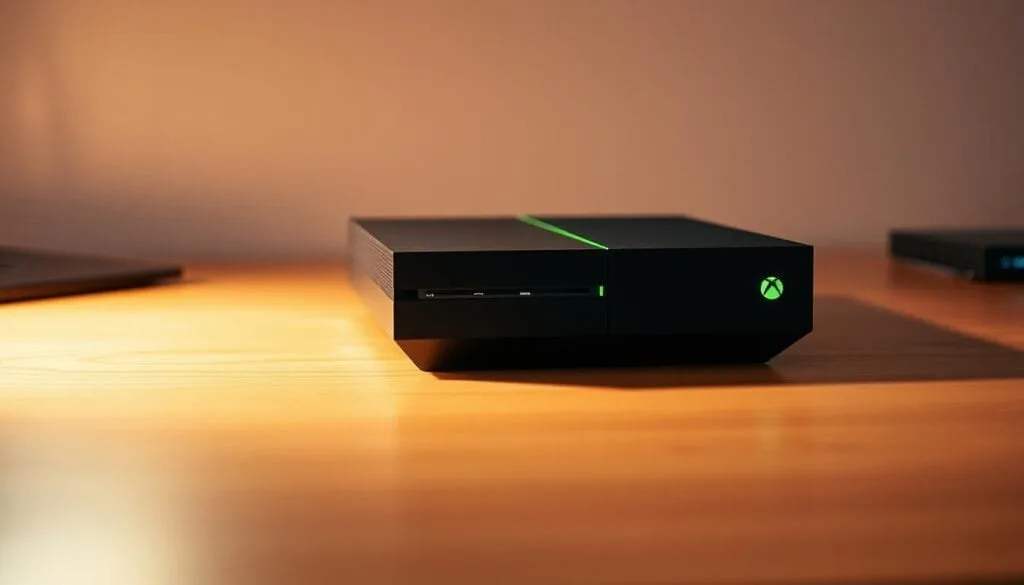
A sleek and modern Xbox console resting on a minimalist wooden desk, bathed in warm, directional lighting that accentuates its clean lines and iconic green-accented design. The console is positioned in the foreground, taking up a significant portion of the frame, while the background gently fades to a neutral, slightly blurred environment, creating a sense of focus and emphasis on the device. The overall mood is one of sophistication and technological allure, inviting the viewer to imagine the immersive gaming experiences that can be unlocked through this powerful gaming platform.

Bring your console library into the room where your PC lives with a few simple settings. Remote Play mirrors the console experience so you can keep progress, settings, and saves without extra installs.

Enabling remote features and power settings on your Xbox console

Press the Xbox button, then go to Profile & system > Settings > Devices & connections > Remote features. Turn on Remote features and set Power options to Sleep so your console can wake and stream when a connection starts. (If the menu labels have changed, look for “Remote features” or “Remote play” under Devices & connections.)

Connecting from the Xbox app on Windows to stream your console games

On your Windows machine, open the Xbox app, tap the Consoles icon near search, then pick your console and start Remote Play. You’ll need an Xbox Series X|S or Xbox One, a compatible wireless controller, and a stable internet link for low latency.

  • Quick Remote Play checklist: 1) Enable Remote features on the console; 2) Set console power to Sleep; 3) Sign into the same Microsoft account on both devices; 4) Open the Xbox app on Windows and connect.
  • Tip: Use a wired Ethernet connection for your console or a 5GHz Wi‑Fi network to reduce lag; wired for the PC is also recommended for best responsiveness.
  • Save often during long sessions in case of a brief disconnect; brief drops are possible on unstable networks.

“Remote Play turns a nearby PC into a flexible screen for your console library.”

Supported gaming handhelds, controllers, cross-play, and progress sync
Detailed shot of various handheld gaming devices on a clean, minimalist surface. In the foreground, a modern, sleek gaming handheld with advanced controls and a vibrant display. In the middle ground, a classic portable console with a retro aesthetic. In the background, a newer model of the same console, showcasing its updated design and features. The scene is bathed in a soft, indirect lighting that highlights the textures and contours of the devices. The overall atmosphere conveys a sense of technological advancement and the evolution of portable gaming.

Carry your library into the palm of your hand with supported gaming handhelds that mirror console and desktop entitlements. A single Microsoft account keeps saves, add‑ons, and achievements aligned so sessions feel seamless across devices.

Playing on the go with your library

Extend your library and take favorites anywhere. Many Xbox Play Anywhere titles work on supported gaming handhelds at no extra cost, so short sessions and long evenings both contribute to your game progress.

Using a compatible wireless controller

Keep the controls familiar. Pair a compatible wireless controller across devices for the same feel whether you’re docked, handheld, or traveling light. Official Xbox controllers and many Bluetooth gamepads work across Windows PCs, handhelds, and consoles; wired connections reduce latency for competitive play.

Cross‑play and picking up where you left off

Supported titles often enable cross‑play, letting friends join from multiple platforms. Your saves and achievements carry forward so you can pick up right where you left off without extra steps.

  • One account, many screens: installs and entitlements follow your Microsoft profile.
  • Shared achievements: add‑ons, trophies, and progress appear across platforms when a title supports cross‑save.
  • Flexible sessions: quick handheld runs or long PC sessions keep continuity so play fits your schedule.

For device compatibility and a list of supported handhelds and controllers, check the official Xbox support pages and the Xbox Play Anywhere list linked in this guide.

Troubleshooting and common limitations to know

Most installation and streaming hiccups are solvable with a few checks and small fixes. Start with simple steps that address the most common causes before digging deeper.

Install and update issues with the Xbox app or Windows

If installs stall, make sure your PC runs a supported Windows build (Windows 10/11 — 22H2 or newer is commonly required; check Microsoft for current minimums). Exit S mode if necessary, free enough disk space for the Xbox app plus your games, and apply any pending OS updates.

When the Xbox app misbehaves, try these quick fixes first:

  • Restart the Microsoft Store cache: run wsreset.exe from the Start menu to clear the Store cache.
  • Sign out and back into the Microsoft account used for purchases, then reopen the Xbox app.
  • Update GPU drivers (use GeForce Experience, AMD Radeon Software, or Intel Driver & Support Assistant) and install Windows updates.
  • Reboot the PC — many corrupted temp files and stuck installs clear after a restart.

Region, library changes, and game-specific system requirements

Library availability and some features differ by region and by subscription plan. Verify whether a game is available in your country by checking the store listing (and xbox.com region pages if needed). Some titles can also rotate in and out of Game Pass or the cloud library.

Game support varies by title — always check product pages for minimum and recommended specs. Stronger hardware improves frame rates and load times; if a game won’t launch, compare its listed requirements to your system.

  • For cloud or Remote Play inconsistencies, test your network (run a speedtest and check ping). Try a wired Ethernet connection to improve stability.
  • Confirm digital ownership for Xbox Play Anywhere titles — the Play Anywhere badge appears in store listings and only digital licenses qualify.
  • If Remote Play drops frequently, set your Xbox console power mode to Sleep, ensure Remote features are enabled, and use wired connections where possible.

Quick troubleshooting flow

  1. Confirm Windows build and free space.
  2. Restart the Microsoft Store cache (wsreset.exe), sign out/in to your Microsoft account.
  3. Update GPU drivers and Windows, then reboot.
  4. If problems persist, reinstall the Xbox app or reset it from Settings → Apps.

“Verify requirements up front and you’ll spend more time in games than troubleshooting.”

When to contact support

If the steps above don’t help, contact Xbox support or your console/PC manufacturer. Have these ready to speed help: Windows build/version, Xbox app version, screenshots of errors, your Microsoft account email, and a brief network test result (upload/download Mbps and ping).

Conclusion

Practical, flexible ways to play are within reach: claim ownership with Xbox Play Anywhere, subscribe to Game Pass for wide discovery, stream instantly with xbox cloud gaming, or mirror your console using Remote Play.

Each path keeps saves, add‑ons, and achievements synced across devices when a title supports cross‑save. Game Pass (check current plan names and coverage) adds day‑one releases and member discounts, while cloud streaming removes long installs and conserves local storage.

Mix these routes to suit your setup: open the Xbox app on Windows, browse the store or Game Pass library, try a cloud stream, or connect to your console — then press play and enjoy more time in the games you love.

FAQ

What options let me run Xbox titles on a Windows PC?

– Install natively via the Xbox app (when a title is sold for Windows).
– Stream via Xbox Cloud Gaming to play without downloading.
– Use Remote Play to stream from your Xbox console to your PC.

Why choose Windows for console‑style gaming in 2025?

– Access to a broad library of xbox games across stores and Game Pass.
– Performance tuning, peripherals (mouse/keyboard, controllers), and recording tools on Windows.
– Cloud gaming and handheld support let you play xbox games without owning high‑end hardware.

What are the essential system and account requirements?

– Keep Windows updated (22H2 or newer is commonly required; confirm current minimums).
– Install the Xbox app and sign in with your Microsoft account.
– Ensure sufficient storage for installs or use cloud streaming to avoid large downloads.

How do I know which titles support Xbox Play Anywhere?

– Look for the Play Anywhere badge in the Microsoft Store and Xbox Store listings; eligible purchases grant a single digital license across console, Windows, and supported handhelds.

Is there an extra fee for Play Anywhere titles?

– No. A qualifying digital purchase covers the supported platforms at no additional cost, though DLC and special editions may still charge separately.

Where do purchased titles appear on Windows and console?

– On Windows: My Library in the Xbox app or Microsoft Store.
– On console: My Games & Apps → Ready to Install.

Are there limits with Play Anywhere licenses?

– Yes. Only digital copies qualify (physical discs do not unlock the PC version). Some services restrict simultaneous active sign‑ins for a single title.

How does Game Pass for PC integrate with the Xbox app?

– The Xbox app shows available Game Pass titles, lets you install games, and surfaces member discounts and day‑one releases. Check Microsoft’s Game Pass comparison page to see which tier (Game Pass for PC, Game Pass Ultimate, etc.) includes cloud rights and other features.

What should I know about Game Pass plans and Windows S mode?

– Library size and cloud access vary by plan. If your device runs Windows S mode, switch out to install non‑Store apps and access the full Xbox experience (this change is usually one‑way; confirm details on Microsoft’s support pages).

What PC tools improve the experience while running titles?

– Use the Xbox app and Game Bar for capture, overlays, Auto‑HDR (when supported), and audio settings. Clips are typically saved to Videos > Captures by default.

What’s required for Xbox Cloud Gaming?

– A Game Pass plan that includes cloud access (verify which tiers include it), a supported device or browser, and a stable internet connection. Controller compatibility and network quality affect responsiveness.

Where can I stream via the cloud from Windows?

– Use the Xbox app on Windows or visit xbox.com/play in a supported browser to launch cloud titles — provided your subscription includes those rights.

How does Remote Play work from a console to a Windows device?

– Enable Remote features on your Xbox console and set power to Sleep, then connect from the Xbox app on Windows to stream your console library over your local network or the internet.

Which handhelds and controllers are supported?

– Several Windows‑compatible handhelds and cloud‑ready devices work with Microsoft’s services. Most Bluetooth controllers and official Xbox pads pair across devices; check official compatibility lists for specifics.

Can I keep progress and multiplayer across platforms?

– Many titles support cross‑save and cross‑play through cloud saves tied to your Microsoft account, letting you continue across PC, console, and supported handhelds.

What common issues might block installs or launches?

– Outdated app versions, missing Windows updates, low storage, or corrupted files are common culprits. Run updates, check storage, and try the troubleshooting steps earlier in this guide.

How do region changes or library updates affect availability?

– Regional licensing and publisher decisions can cause titles to appear or disappear from a local catalog. Availability may change over time or after catalog rotations, so check store listings for current status.

Next steps: 1) Sign into your Microsoft account; 2) Open the Xbox app on Windows or visit xbox.com/play; 3) Try a cloud demo or install a Play Anywhere title and press play.

Last checked: 2025 — verify plan names and cloud coverage on Microsoft’s official pages for the latest details.

pokemon go raid schedule
Conquer Battles: Your Pokémon Go Raid Schedule for June 2025
Get ready for an action-packed month with the Pokemon Go Raid Schedule for November 2024. Expect major...
how to play games on snapchat
How to Play Games on Snapchat
Quick note: Snap Games, the chat-based arcade feature, was discontinued in February 2023. Today, the...
top grossing mobile games 2024
Top Grossing Mobile Games 2024: Trends & Revenue
By 2024 the mobile gaming landscape continued to shift: Honor of Kings remained the top earner globally, generating $1.65 billion (according to Sensor Tower/FoxData), driven largely by its Chinese user base. In the US, Candy Crush Saga held its spot as a leading top grossing game, while Roblox led the UK charts — each title succeeding through proven monetization (in‑app purchases, live events) and strong live‑ops programs. Top Grossing Mobile Games 2024 reflect both regional tastes and savvy business models. China now accounts for the majority of revenue for many hits: PUBG Mobile and Genshin Impact, for example, derive more than 60% of their spending from Chinese players (source required). In April 2024 王者荣耀 ranked highly on the App Store, and Last War: Survival Game posted notable revenue gains on Google Play, underscoring how platform charts and regional strength affect overall money earned. Key TakeawaysHonor of Kings led global mobile game revenue with $1.65 billion in 2024 (verify time frame and source). Candy Crush Saga remained one of the top grossing titles in the US in 2024. Roblox secured the top spot in the UK charts for top grossing games. The Chinese market contributes over 60% of revenue for several leading games—an essential factor for publishers targeting growth. In April 2024, Last War: Survival Game showed significant revenue growth on Google Play.Overview of Top Grossing Mobile Games in 2024The mobile game market analysis for 2024 shows an industry still growing in size and complexity. More than 100 games have passed the $1 billion lifetime revenue mark (lifetime figures, source: Sensor Tower / data.ai — verify date), underscoring how large-scale hits continue to dominate the charts. Tencent remains a dominant publisher in the space, occupying 12 of the top-ranked titles and placing three games in the global top 10 for 2024 (see 2024 list). Lifetime revenue leaders include Honor of Kings (Arena of Valor), Candy Crush Saga, and PUBG Mobile — each built on business models like gacha mechanics, battle passes, and recurring in‑app purchases that drive long-term revenue. Honor of Kings has accumulated roughly $18.66 billion in lifetime revenue (verify source/date), making it the highest-grossing mobile title to date. Candy Crush Saga, launched in November 2012, has generated more than $12 billion across stores, while PUBG Mobile (launched March 2018) has exceeded $11 billion in lifetime revenue, reflecting sustained global demand. Other perennial top-earners include Monster Strike (about $11B) and Clash of Clans (over $10B); together, these titles show how varied monetization — from social mechanics to in‑game economies — produces massive lifetime returns. Below is a quick reference table of these long-running top grossing games and their release years.Game TitleRevenue (in billions)Release DateHonor of Kings (Arena of Valor) $18.66 2015Candy Crush Saga $12 2012PUBG Mobile $11+ 2018Monster Strike $11+ 2013Clash of Clans $10+ 2012This snapshot of games 2024 highlights both lifetime dominance and the range of monetization tactics that create top grossing titles. For monthly and platform-specific charts (App Store / Google Play) and a breakdown by region, see the 2024 top-grossing list below for monthly figures and charts. Highlighted Performers: Standout Titles in the Top 10As the Top Grossing Mobile Games 2024 charts show, a few standout titles continue to capture the majority of player spending and chart positions. 王者荣耀 (Honor of Kings) and Last War: Survival Game are two examples that combined strong live‑ops, regional tailoring and aggressive user acquisition to secure top grossing places across stores. 王者荣耀 (Honor of Kings) Why it works: Honor of Kings pairs frequent content drops, limited‑time events and cosmetic sales to keep ARPDAU high. According to market trackers, Honor of Kings reported roughly $80 million in player spend in Q1 2024 (verify source and scope). Its core strength remains China, where the title drives the bulk of its revenue, while localized versions and cross‑region promotions help maintain global relevance compared with other heavy hitters such as PUBG Mobile and Free Fire. Last War: Survival Game Why it works: Last War blends survival mechanics with social features and competitive progression, then amplifies reach via influencer partnerships and targeted ads. The game rose up Google Play charts in April 2024 and posted notable revenue gains thanks to these tactics (source required). Its monetization relies on timed bundles, battle passes and limited offers that convert engaged players into consistent spenders. Both Honor of Kings and Last War demonstrate how combining product‑level innovation (live ops, gacha/skins, battle passes) with strong marketing execution creates a repeatable formula for top grossing performance in 2024. For publishers aiming to reach the same spot, the playbook centers on fast content cadence, regional optimization and diversified monetization. Common Success Factors Among Top Grossing Games Top grossing mobile games generally follow a few repeatable rules: diversified monetization, strong user acquisition (UA), and live‑ops that keep players engaged. Even when overall downloads fall, the right mix of product and marketing can deliver steady revenue and high lifetime value. Monetization Strategies Successful titles combine multiple revenue streams rather than relying on one channel. Typical mechanics include:In‑app purchases (IAPs) — consumables, cosmetics, and convenience items. Gacha and randomized pulls — high ARPDAU drivers in many top grossing games. Battle passes and seasonal subscriptions — recurring revenue and retention boosts. Rewarded and interstitial ads — monetizing non‑spenders while preserving UX.Games like Royal Match and Monopoly GO! blend these tactics to keep spending consistent across cohorts. Hybrid designs that mix casual accessibility with mid‑core depth have shown measurable uplifts: certain cross‑genre titles reported roughly an 8% revenue increase after adding mid‑core progression layers (source needed — verify for specific titles). Advertising and User Acquisition Effective UA is a combination of creative ads, cross‑promotion, and influencer partnerships. Ads that highlight core loop moments and social features tend to convert better. For example, campaigns that drove in influencers and targeted creatives helped some puzzle and hyper‑casual titles soften download declines to around a 6% drop versus industry averages (confirm exact datasets). Retention and monetization improve when product features reinforce ad messaging — timed events, starter offers and social rewards make first‑time converters into repeat spenders. Below are regional revenue gains that illustrate where growth is being captured:RegionRevenue IncreaseMiddle East +8%Europe +7%Latin America +4%Quick checklist for developers aiming for top grossing placement:Design multiple monetization hooks (IAP, passes, rewarded ads). Run rapid creative tests and lean on influencers for UA lifts. Deliver frequent live‑ops and limited‑time events to drive urgency. Localize offers and UX to high‑value markets (e.g., China, APAC).In short, the best grossing games combine product innovation and disciplined marketing: diversified money models, strong UA, and live operations that keep players — and revenue — returning. Trends Shaping Mobile Gaming in 2024According to industry trackers, mobile gaming trends in 2024 are driven by shifting tech, changing player behavior, and evolving monetization models. The broader games market exceeded $187 billion in 2023 (source: verify — check whether this refers to total games or digital interactive entertainment) and is projected to approach $211 billion by 2025 in some forecasts. These top grossing projections reflect a market where mobile games capture an increasing share of player time and spend. 5G and platform capabilities Faster networks and stronger device performance are enabling richer mobile experiences. By the end of 2023 roughly 43% of smartphones supported 5G (confirm regional scope), which improves streaming, reduces latency for competitive play, and unlocks new cloud‑native features across app stores and platforms. Social features and player connection Social play is now core to retention: many new players in the US prefer titles that let them chat and play together (citations needed for the 40% figure). Nearly all top titles include in‑game chat, social invites and cross‑platform features — examples include Roblox and Pokemon Go, which prioritize social loops and user‑generated content to boost engagement. Genre shifts and monetizationHyper‑casual remains the most downloaded category in many markets, though downloads don’t always equal revenue. Puzzle games are layering mid‑core mechanics and live‑ops to increase ARPDAU and retention. In‑app purchases and subscription/battle pass models remain primary revenue drivers for top grossing games; rewarded ads monetize non‑spenders without breaking the experience.Developers are also experimenting with alternative distribution and first‑party storefronts to gain better monetization control. Overall, the industry continues to evolve rapidly — platform advances and player expectations mean publishers must iterate fast to stay in the top grossing rankings across the App Store and Google Play. Revenue Projections for Popular Games on MobileForecasts for the mobile market point to continued growth, though exact totals depend on definitions and data sources. Mobile captured nearly half of global games revenue in 2023 — roughly $90 billion by some estimates (confirm source and methodology) — and many analysts project mobile’s share to expand further through 2026–2027. For example, conservative forecasts put global games revenue near $205–211 billion by 2025–2026, with mobile representing an increasing slice of that pie. Some breakout titles illustrate how individual games can drive large sums: Monopoly GO! and Honkai: Star Rail each reported strong revenue runs in early 2024, with figures often quoted in the high hundreds of millions (e.g., $659M and $645M in certain reports — verify timeframes and sources). In January 2024 the US games market showed a notable uptick (reported +15% in select datasets), reflecting renewed spending after seasonal cycles. Regionally, Asia Pacific remains the largest market for games, with 2023 estimates around $84.1 billion; North America and Europe follow with roughly $50.6 billion and $33.6 billion respectively (confirm source dates). Projections for 2026–2027 vary across forecasters — some show North America approaching $118 billion in broader digital entertainment measures while other region totals are reported differently; ensure you reference the original model (games vs. interactive entertainment) when citing these numbers.Revenue Region2023 RevenueProjected 2027 RevenueNorth America $50.6 Billion $118 Billion (check source & scope)Europe $33.6 Billion $205 Billion (likely broader market figure — verify)Asia Pacific $84.1 Billion Unknown / varies by forecastSmaller regions also show growth: the MENA‑3 market is forecast by some firms to reach about $2.65 billion by 2027. At the same time, publishers note mixed sentiment in parts of Europe — e.g., a small share of German gaming businesses expecting growth in 2024 — underscoring regional variance. How to read these projections: always check whether a figure refers specifically to mobile, to games overall, or to the broader digital entertainment market; verify whether numbers are retail revenue, consumer spend, or operator/platform receipts. For publishers and app store strategists, the takeaway is clear: mobile remains the fastest‑growing channel for player engagement and revenue, so platform strategy (App Store vs. Google Play), localization, and live‑ops investments should be prioritized as companies plan for the next several years. Top Mobile Game Developers in 2024The mobile games ecosystem in 2024 is driven by a mix of legacy publishers and fast-moving newcomers. Leading publishers — from Tencent and Supercell to Playrix and EA Mobile — continue experimenting with live‑ops, IP licensing, and platform strategies (App Store vs. Google Play) to maximize revenue and reach. Industry trackers report massive annual download volumes (verify exact figure for “300 billion” downloads in 2023), with games accounting for the majority of that activity and driving most store grossing charts. Recent breakout hits such as Monopoly Go! and Wood Nuts & Bolts Puzzle rose quickly in 2023–2024, showing how timely launches and strong UA can vault new titles into top positions. Successful developers combine intuitive core loops with aggressive live‑ops and monetization mechanics to turn downloads into sustained spend. Major publisher highlights:DeveloperKey TitlesKey AchievementsEA Mobile FIFA Mobile, The Sims Mobile Ported major IPs and developed standalone mobile offers for broad audiencesNiantic Pokemon Go, Harry Potter: Wizards Unite Built massive AR/social experiences with millions of active playersNintendo Mario Kart Tour Top casual mobile hit leveraging a global IPNCSOFT Lineage W High revenue performer on Google Play in select markets (verify region/timeframe)SciPlay Monopoly Slots, Bingo Showdown Focused on casino/bingo verticals with steady monetizationWarner Bros. Entertainment DC Batman, Wizarding World Leveraged film and franchise IP to drive installs and in‑app spendCase Studies: Successful Games and Their StrategiesThese short case studies show how product design, IP, and monetization combine to create top grossing games. Monopoly Go Monopoly Go leveraged a globally recognized IP plus frequent events and starter bundles to rapidly convert new users into paying players. Strategy takeaway: IP + frequent live events = higher initial conversion and retention. Royal Match Royal Match stands out in the puzzle category by pairing polished visuals with a layered progression system and well‑timed offers. Strategy takeaway: superior UX and progression loops increase ARPDAU in puzzle titles. Legend of Mushroom Legend of Mushroom combined RPG progression with strategy mechanics and recurring events to boost engagement. It monetizes through IAPs and optional subscriptions. Strategy takeaway: hybrid mechanics can expand audience while lifting revenue per user. Top Grossing Mobile Games 2024 In 2024 the top grossing games combined strong monetization with high engagement. Honor of Kings led earnings in key months, reporting roughly $174.6 million in the cited period (confirm source and timeframe). Monopoly GO! posted a major year‑over‑year surge to about $146.5 million, while Brawl Stars also climbed to the high tens of millions with a strong monthly increase — all examples of how live‑ops and event-driven monetization drive grossing positions. Platform snapshots for April 2024 show the market still generating billions: reported apps store revenue for the month approached $6.2 billion in some datasets, while downloads remained large — Pizza Ready! led downloads in April with about 26.4 million installs, followed by Roblox at ~17.9 million (verify source attribution). Call of Duty: Warzone Mobile generated roughly $5 million in revenue on its measured month with ~6.4 million downloads in that period, illustrating how downloads and revenue don’t always move in sync.GameDownloads (April 2024)Revenue (April 2024)Revenue Increase (Y/Y)Honor of Kings Not specified $174.6m (verify) -5.4%Monopoly GO! Not specified $146.5m (verify) +1,170%Brawl Stars Not specified $84.3m (verify) +810.6%Call of Duty: Warzone Mobile 6.4m $5m Not specifiedPizza Ready! 26.4m Not specified +72.5%Roblox 17.9m Not specified Not specifiedApril also saw very high install volumes overall (figures vary by tracker — some report nearly five billion game downloads globally for the month; confirm which dataset), while publisher revenues such as Supercell’s showed strong year‑over‑year gains in certain months (e.g., reported $168 million in a cited period). The takeaway: store rankings (App Store and Google Play) matter for visibility, but a title’s monetization design — IAPs, passes, limited offers — determines top grossing outcomes. Conclusion The mobile games industry remains robust in 2024. App‑store activity and downloads continue at scale — industry estimates cite roughly 300 billion app downloads in 2023 with games representing the majority (verify source and definition). Android tends to capture the larger share of installs while iOS often drives higher per‑user spend for top grossing titles like Genshin Impact, Candy Crush Saga and Royal Match. Long‑running franchises such as Honor of Kings, Candy Crush and PUBG Mobile have amassed multibillion-dollar lifetime revenue totals (e.g., Honor of Kings cited near $18.66B — confirm latest figures). Newer hits and niche titles can still break through with the right mix of IP, live‑ops and UA, so publishers should prioritize regional strategy, platform optimization (App Store vs. store google play) and diversified monetization to reach top grossing spots. Studying these rankings and revenue drivers gives developers clear levers to improve performance: iterate on live‑ops cadence, test offers aggressively, and localize both product and UA to high‑value markets.FAQWhat are the top-grossing mobile games of 2024? Top earners in 2024 included 王者荣耀 (Honor of Kings), Last War: Survival Game, Monopoly Go, Royal Match and several enduring franchises such as Candy Crush Saga — rankings vary by month and platform, so check the latest App Store and Google Play charts (source: market trackers). What drives success for top grossing games? Key drivers are diversified monetization (IAPs, battle passes, rewarded ads), frequent live‑ops/events, strong UA creatives, and regional optimization. Technology (cloud, AR, 5G) and social features also boost retention and spend. How did specific games perform month‑on‑month in 2024? Market trackers such as Sensor Tower / data.ai / FoxData report month‑by‑month changes; titles like Honor of Kings and Last War posted steady revenue across multiple months. Always verify figures against the original dataset for precise month ranges. Which stores and platforms matter most? Both App Store and Google Play are essential — App Store often drives higher iOS revenue per user, while Google Play captures a larger volume of installs globally. Publisher strategy should optimize for both stores....
Competitive Mobile Games
Master Competitive Mobile Games in 2025: Tips & Strategies
Posted by John Luna on Jun 13, 2025 at 11:00 AM EST. This guide sets the stage for serious play in 2025....
games for new gamers
Games for New Gamers: Discover the Best Titles
Stepping into interactive play should feel welcoming and fun. This short guide highlights gentle, well-designed...

Newsletter Updates

Enter your email address below and subscribe to our newsletter

Leave a Reply

Your email address will not be published. Required fields are marked *