
Pick the right accessory and a quick phone session can feel like a living-room match. This guide shows how the best iOS gaming controller turns mobile play into a true console-like experience.
We test practical traits — connection type, comfort, button feel, and compatibility — so you can buy with confidence. Each pick earns its spot based on lag, portability, and long-session comfort.
In 2026 U.S. phone ownership splits between Lightning and USB‑C devices, and that shift shapes choice. Our roundup frames controllers by controls, battery and charging, ergonomics, and app experience.
Whether you want portability or full-featured design, this article lays out options, price tiers, and key features to match your play style. Read on to find a controller that makes couch time, travel, and late-night play effortless and immersive.
Key Takeaways
- Choosing the right controller upgrades mobile gaming to a console feel.
- We compare connection, comfort, button feel, and device compatibility.
- Top picks are chosen for low lag, portability, and session comfort.
- 2026 buyers should note the Lightning vs USB‑C split when choosing.
- Evaluation focuses on controls, battery, ergonomics, and software.
Why an iOS gaming controller changes everything for mobile gaming
When a split-second input matters, glass just isn’t enough. Touch controls blur under pressure, especially in fast action or tight timing windows. Physical buttons and triggers give repeatable, tactile feedback you can trust.
Muscle memory is the big difference. Swipes and on-screen overlays vary with finger placement and sweat. A real controller restores consistent movement, aiming, and timing so you react, not guess.
That stability matters for modern play. Cloud play and Remote Play run smoother when inputs arrive cleanly. Platformers, racers, and action games on Apple Arcade-style services feel like they were built for a handheld console.
“The right mobile controller makes your iPhone feel like a portable console.”
- Precision: firm buttons beat overlays for quick shots and tight turns.
- Confidence: reliable triggers reduce missed inputs in heated matches.
- Versatility: pick from compact to pro options to match travel, casual, or competitive play.
Read on and we’ll match the best options to your play style — casual, competitive, travel-first, or marathon sessions — so your next purchase feels like an upgrade, not a compromise.
What to look for before you buy a mobile controller
Before you commit, focus on the handful of parts that truly shape play. Small choices—port type, button feel, and fit—decide whether a purchase becomes your favorite or a drawer backup.
Connection types: Bluetooth vs direct port
Direct port connection feels instant and reduces latency, so inputs land with firm timing. Bluetooth offers broader compatibility and easier device swapping, but may add a touch of delay.
USB-C and pass-through charging
Look for a USB-C port with pass-through charging. It keeps play going without draining your phone and matters more than flashy extras for long sessions.
Ergonomics, size, and grip
Comfort equals performance. The right size, textured grip, and fit in your hands reduce fatigue and keep thumbs steady when matches run long.
Buttons that feel right
Good buttons mean predictable inputs: clicky buttons for tactile feedback, face buttons that don’t wobble, triggers with smooth travel, and a D-pad that doesn’t misfire.
- Direct port: instant feel. Bluetooth: flexible use.
- USB‑C pass-through: longer play, less battery worry.
- Pick size and grip for long sessions, not just portability.
- Test button travel, trigger smoothness, and D-pad accuracy before you buy.
Lightning vs USB-C iPhone compatibility in the United States right now
Port choice matters when you want your gear to work the moment you plug in. In the US market some players still use Lightning phones while newer models move to USB‑C. That split shapes which controllers are plug-and-play and which require an adapter or Bluetooth pairing.
When direct-connection makes the most sense
Pick a direct cable setup if you want the lowest latency and an instant handheld feel. A wired link turns your phone into a console-like device without wireless lag or battery juggling.
Direct connection is great for short tournaments, cloud play, or when you need predictable inputs. Confirm the phone version and case fit so the port clears camera bumps and protective covers.
When Bluetooth is the safer all-device bet
Bluetooth wins if you plan to swap between phones, tablets, Apple TV, Mac, or other devices. One wireless pad can serve multiple devices without worrying about which port is on each gadget.
Look for wide platform support and, when possible, Made for iPhone certification for easier pairing. Remember that certification can limit you to a specific port generation, so balance today’s convenience with tomorrow’s upgrades.
- Check your phone model and case before buying.
- Consider a usb-c port if your next phone will likely use USB‑C.
- Weigh immediate low-latency play against multi-device flexibility.
“Choosing the right connection today means less compromise after your next upgrade.”
Hall effect joysticks and the fight against stick drift

Stick drift is the slow, unwanted movement of a thumbstick when you’re not touching it. It shows as tiny inputs that pull aim, nudge steering, or cause menu flicks. For shooters and racers, drift kills precision and ruins tight matches.
Hall effect sensors read position without physical contact. That reduces wear on tiny moving parts and cuts the common mechanical cause of drift. In buyer terms, paying more up front for this tech can mean fewer repairs and a longer usable life.
Why Hall effect can be a long-term value play
Hall effect parts resist abrasion because they sense magnetically, not by rubbing contacts. That keeps stick feel consistent and helps justify the added price for frequent players. In practice, better caps and grips paired with Hall sticks feel steadier over months of play.
Controllers highlighted for Hall effect thumbsticks in our research
- Gulikit Elves 2 Pro — Hall effect joysticks, six-axis gyro, nine vibration levels; compact Bluetooth shell. Price: $50.
- GameSir X3 Pro — Hall effect thumbsticks with detachable caps and carry case. Price: $80.
- GameSir X4 Aileron — Hall effect sticks and tactile buttons; can be finicky to pair because of a two-part design. Price: $100.
Tradeoffs matter. Hall effect improves longevity, but pairing quirks, app quality, and comfort still shape your everyday experience. If the hardware lasts but you don’t enjoy using it, the value fades.
“Buy once, enjoy longer” — for frequent players, better stick tech can be the most satisfying upgrade you make all year.
Battery life and charging time: what “all-night play” really means
Long sessions hinge on realistic battery math, not ad slogans. How you set brightness, vibration, and wireless radios often cuts promised run time in half. Think in hours, not claims, when you plan a trip or a tournament night.
Real-world battery life callouts from tested options
Translate specs into usable expectations. The PowerA XP Ultra can deliver about 40 hours over Bluetooth and up to 60 hours in Xbox mode. Turtle Beach Atom runs near 20 hours and needs roughly two hours for full charging.
Smaller pads like the CRKD Atom top out near 10 hours and recharge via USB‑C. The GXTrust Mylox often falls well below its 12-hour claim when RGB is enabled.
How RGB lighting and wireless modes can drain power faster
RGB is fun, but costly. Keep lighting off for long sessions. Bright effects and haptics pull extra battery and reduce real-world hours fast.
- Reality check: “All-night” depends on brightness, vibration, radios, and whether your phone is charging too.
- Pass-through charging matters most when your phone becomes the limiting battery, not the pad.
- Practical pick: choose longer battery for heavy play; pick fast top-ups and simple cables for travel.
“Plan for actual hours, not marketing hours.”
Best iOS gaming controller picks for immersive play

Not all pads are equal—some turn a phone into a true handheld machine. Below is a curated shortlist that maps top picks to play styles, budgets, and real-world use. Use this decision hub to pick fast or read on for deeper spotlights.
Backbone One — clean, console-style experience
Backbone One makes your phone feel like a compact console. Setup is instant, pickup-and-play is effortless, and the layout favors long sessions and balance.
Riot PWR iOS Xbox Edition — Lightning-friendly, wired perks
This Made for iPhone-certified option uses a Lightning cable for low latency, includes pass-through charging, and has a 3.5‑mm jack for wired audio. It supports Xbox Cloud Gaming and ships with one month of Game Pass Ultimate. The cable can feel messy, but its direct link suits long cloud sessions.
Turtle Beach Recon Cloud — Xbox Cloud Gaming and shooter help
Recon Cloud works across Android, Xbox, and Windows, and pairs well with Remote Play. It has a solid clip, programmable buttons, and Pro‑Aim to help reduce right-stick sensitivity for FPS games.
8BitDo SN30 Pro — retro design, wide support
8BitDo brings rumble, USB‑C charging, a reliable D‑pad, and multi-device support including Nintendo Switch. It’s ideal for players who love classic layouts and solid battery life.
PowerA XP Ultra — maximum versatility
PowerA offers broad platform support and long battery life (up to 40–60 hours depending on mode). The main pad feels good, though its travel-sized companion is too small for many hands.
- Decision tip: choose Backbone One for simplicity, Riot PWR for Lightning users, Recon Cloud for shooters, 8BitDo for retro multi-device play, and PowerA for cross-platform versatility.
- Consider: features, price, and which phone you own before buying.
“Pick the pad that fits your play style, not just the spec sheet.”
Backbone One spotlight: premium design, fast setup, and everyday portability
A Backbone One-style wraparound turns your phone into the screen and the shell into the chassis. This form factor makes setup instant and keeps pockets light. It’s a purposeful approach: the hardware feels like a handheld, not an add-on.
Why the wraparound form factor wins for commuting and quick sessions
The wraparound layout secures the phone with sturdy rails and a reliable fit. You slide the device in, and the unit becomes a single, balanced piece you can game with on the move.
That simplicity means no Bluetooth pairing or adapters when you just want a five-minute match between stops.
What to prioritize: button feel, triggers, and overall balance
Buttons should click cleanly and resist wobble; that tactile certainty makes inputs predictable across genres. Check the triggers for smooth travel and a firm reset—mushy shoulders ruin aim and rhythm.
- Sturdy rails and a snug fit over gimmicks.
- Satisfying face buttons that stay consistent after weeks of use.
- Triggers with defined travel and repeatable response.
Comfort, grip, and buying intent
Balance and the right grip shape keep wrists relaxed for longer play. A well-sized unit prevents thumb strain; size should feel like an extension of your hands, not a weight to manage.
Choose a Backbone One if you want a premium design that delivers console-on-the-go comfort every day. It’s the pick for players who value instant setup, sturdy feel, and consistent inputs.
“Pick a pad that feels like it was built around your phone, and every commute becomes part of the play session.”
Xbox-style control for iPhone: Cloud Gaming-ready options
Familiar stick placement and shoulder keys turn a phone into a predictable, responsive play surface.
Xbox-style layouts suit cloud sessions because muscle memory carries over. Thumb spacing, a clear D‑pad, and shoulder triggers make inputs feel like home. That steadiness helps with long matches and fast twitch play.
Riot PWR iOS Xbox Edition: strengths and tradeoffs
Riot PWR is Made for iPhone-certified and uses a direct Lightning cable for near-instant input. Pass-through charging and a 3.5‑mm jack keep sessions long and audio simple. It even bundles a month of Game Pass Ultimate.
Tradeoff: the wired link reduces pairing fuss but adds cable clutter. If you prize low-latency reliability and simple setup, this is a solid pick.
Turtle Beach Recon Cloud: programmable upgrades for shooters
Recon Cloud leans into features: a sturdy clip, cross-platform support, programmable buttons, and Pro‑Aim to lower right-stick sensitivity on demand.
Pro‑Aim makes aiming feel calmer and more consistent in shooters by reducing twitchy stick response. Audio boosts work when plugged in, and the unit suits players who value custom buttons and versatility.
- Pick Riot PWR for Lightning simplicity and steady sessions.
- Pick Recon Cloud for extra features, aiming support, and multi-device support.
“Choose the pad that matches your priorities: simplicity or a richer feature set.”
See our wider platform support guide at platform support guide for device-fit tips and charging advice.
For Call of Duty-style shooters: aiming precision, triggers, and tactile feedback
High-pressure shooters demand hardware that makes precise aim feel natural. For Call Duty-style play you need repeatable inputs, clean trigger pulls, and sticks that don’t twitch under stress.
Pro-Aim and stick sensitivity control for FPS consistency
Pro-Aim-style sensitivity reduction lowers the right-stick responsiveness so tiny corrections move your reticle smoothly. Turtle Beach Recon Cloud includes this feature and also offers programmable buttons to tune inputs to your style.
Reducing sensitivity helps when targets cross your sight quickly. It steadies tracking and reduces overcorrection in tense moments.
What “responsive” really means in face buttons and shoulder triggers
Responsive is more than speed. It means low input delay, consistent actuation, and face buttons that register cleanly without extra force.
- Repeatability: shooters need the same result every press—jump, reload, or melee must not vary.
- Tactile feedback: click, travel, and rebound shape how fast you chain actions in fights.
- Trigger quality: a smooth pull with a clear stop point makes semi-auto and burst timing reliable.
- Joystick trust: solid centering and no twitch reduce aim drift during long matches.
- Match feel to play style: the best pad disappears in your hands—pick the one that fits you.
“The right mix of sensitivity, triggers, and tactile buttons turns clutch moments into repeatable wins.”
Ultra-portable mobile controllers that disappear into your bag

Some pads are designed to vanish into a bag and only reappear when you need a quick match. This category values extreme portability over marathon comfort.
CRKD Atom: an emergency pocket playmate
CRKD Atom is tiny, costs about $20, and comes with a wrist strap. It delivers up to 10 hours of battery life and uses a usb-c port for fast charging.
It’s the true emergency pick: small enough to stash anywhere and ready when a short session calls. Caveat: the small size can cramp hands, and it may switch on in a pocket and drain power.
Turtle Beach Atom: fold-flat commuter design
Turtle Beach Atom runs near 20 hours, folds into two pieces, and recharges in about two hours. The split design is clever for commuters but can feel insecure without a full backplate.
Connection quirks matter: the right side must be powered separately and uses a 2.4 GHz link while your phone pairs over bluetooth. That setup can cause odd behavior in some games.
“Choose tiny only when portability beats comfort.”
- Define the tradeoff: tiny size wins for travel, not long sessions.
- Pick CRKD for cheap, pocket-ready backup.
- Pick Turtle Beach for foldable convenience—accept a few connection quirks.
Split, fold, and travel: controllers built around compact design
Split and fold designs solve packing headaches, yet they change how a unit feels in hand.
Why these compact designs exist: they shrink to a pocketable size so you actually carry a pad between commutes. Travelers choose split or folding controllers to save space in bags and backpacks.
Two-piece designs and the stability tradeoff
Two-piece options free up room, but they often sacrifice rigidity. A split layout can flex, lack a solid back, or feel less confident during intense play.
Example: the Turtle Beach Atom folds neatly but can feel insecure without a supportive back. The GameSir X4 Aileron requires pairing each side and that pairing tax can be finicky.
Clamps, camera bumps, and fit challenges
Modern phones have large camera modules and thick cases. Clamps can hit bumps, making the phone sit unevenly or press into buttons.
Before you buy, check phone width, case thickness, camera module size, and whether the port or clamp design will collide with your setup.
- Pack-first design solves travel but asks you to accept some flex.
- Watch for pairing quirks when sides connect separately.
- Prioritize a balance: a unit you will carry and one that still feels stable in your hands.
“The best travel pad is the one you bring — but it should feel secure enough to enjoy long sessions.”
Cooling and marathon sessions: when heat becomes the real enemy
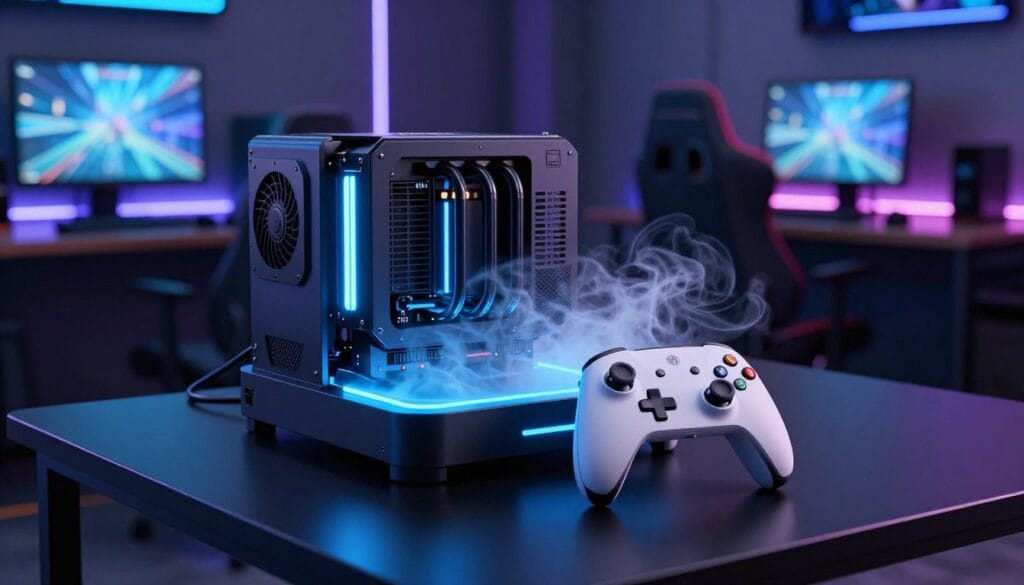
When play stretches past an hour, thermal limits become the real opponent. Long, high-frame-rate sessions can warm phones enough to reduce performance and make your hands uncomfortable.
GameSir X3 Pro and its built-in fan
The GameSir X3 Pro is a pro-minded option that adds active cooling as a core feature. It cradles USB‑C phones, offers customizable grips, clicky buttons, Hall effect sticks, detachable caps, and a carry case for $80.
Its large fan delivers real cooling power, which keeps temperatures down during marathon play and helps sustain peak frame rates and steady touch response.
How to decide if active cooling is worth the tradeoff
- Active cooling = marathon tool: best if you play long sessions or live in hot climates.
- Tradeoffs include added bulk and fan noise that reduce portability and quiet play.
- Software matters: the GameSir app can be buggy, which makes customization harder.
Bottom line: pick active cooling if sustained comfort, stable performance, and battery management matter to your sessions. If you prefer minimal design and light size, or you play casually, a fan may be overkill.
“Active cooling turns long sessions from a grind into a repeatable, comfortable experience.”
RGB, back paddles, and customization: features that feel like “pro controller” territory
Pro-level tweaks—like remappable paddles and refined sticks—separate hobby pads from true pro controller territory. These options must improve play, not just add flair.
Asus ROG Tessen packs programmable back paddles, pass-through charging, folding design, and RGB lighting for about $104. Its controls are responsive, but thumbsticks can feel awkward and the face buttons run noisy. Critically, this model is Android-only and won’t work with iPhones, making it a cautionary buy for many US shoppers.
GameSir X4 Aileron: ambitious feature set
The X4 Aileron ($100) brings Hall effect sticks, tactile buttons, and RGB. It aims at pro controller feel with long-term stick reliability and a satisfying button press.
Tradeoff: the two-part design needs each side paired separately. That pairing can be finicky and interrupts quick setup.
“The best customization is the one you use every session, not the one you tweak once and forget.”
- Why back paddles matter: keep thumbs on sticks while you jump, reload, or swap weapons.
- RGB tradeoff: stylish but it shortens battery and adds complexity.
- Pick features that match your play: remaps, tactile buttons, and reliable hall effect sticks over pure flash.
Controllers that “just missed”: solid options with clear compromises

These picks do useful things well, but a single tradeoff keeps each from a top recommendation.
Acer Nitro Mobile Gaming Controller
Why it appeals: folds small, uses a usb-c port, and offers pass-through charging for long sessions.
Why it missed: the feel is basic for the listed price, and cramped ergonomics hurt daily comfort for bigger hands.
Gulikit Elves 2 Pro
Why it appeals: Hall effect sticks, gyro, and nine vibration levels give strong value at about $50.
Why it missed: compact shell and membrane face buttons can tire large hands during long play.
GXTrust Mylox
Why it appeals: a comfy cradle, haptics, and RGB make it fun to use.
Why it missed: lighting cuts real battery life well below the claimed 12 hours, so practicality suffers.
PowerA Moga XP7-X Plus
Why it appeals: removable phone slot and wireless charging are clever convenience features.
Why it missed: it uses Micro USB and a modest 2,000 mAh battery, which limits run time and future proofing.
- These controllers excel at one or two things, but each trades off comfort, battery life, or modern ports.
- Pick one as a second-choice when a specific feature—folding, hall effect sticks, cradle comfort, or wireless charging—matters most to you.
“Choose a near-miss when one feature solves your everyday problem, not when you want an all-round winner.”
Value, price, and long-term ownership in the US market
Spend smarter: the cheapest pad can cost more over time if parts fail or app updates stop. Think beyond sticker price. Focus on comfort, repair risk, and how often you will actually play.
When paying more gets you better parts, software support, and lasting use
Higher price often buys stronger build quality, Hall effect sticks, and better shoulder switches that resist drift. Those parts reduce repairs and keep inputs consistent months later.
Paid units usually have reliable software and app support. That matters: firmware updates fix pairing quirks and improve battery behavior over time.
When budget picks win for casual play and occasional sessions
For casual games, low cost and decent battery hours can be fine. Pick simple options that feel okay, charge fast, and work out of the box.
Match spend to lifestyle: commuters may value compact size; families want multi-device support; competitive players should invest in feel and remaps.
“Buy for the hours you play, not the specs you might never use.”
- Decide must-haves: connection type, battery, comfort, and charging.
- Buy the option that nails those first; extras are nice, not essential.
- Remember: good support and durable parts extend real ownership and save money long term.
Conclusion
Choose a pad that matches your play habits, and every session will feel like a deliberate upgrade.
The core takeaway: the right ios gaming controller makes your phone a true handheld system, not a compromise. Decide on the big forks: Bluetooth vs direct connection, Lightning vs USB‑C, and portability vs comfort.
Match reader needs to picks: handheld-style for everyday play, Xbox-style for cloud sessions, retro multi-device for versatility, and ultra-portable for travel. Weigh options and features against simplicity.
For long sessions, prioritize pass-through charging, stable connections, and real battery life. Choose the option that fits your phone and play habits so every mobile gaming moment feels more immersive.
FAQ
What makes a mobile gamepad worth buying over touchscreen controls?
Should I choose a direct-port or Bluetooth connection for my phone?
How important is a pass-through USB-C charging port?
What are Hall effect joysticks and why do they matter?
How many hours of play should I expect from a typical portable pad?
Are back paddles and programmable buttons worth it?
How do I avoid stick drift over time?
Which form factor is best for commuting and short sessions?
Do pro-style triggers and tactile face buttons really improve FPS performance?
Will my phone fit every clamp-style pad? What about camera bumps?
How much should I expect to spend for a durable, feature-rich option?
Can these controllers work with other devices like Nintendo Switch or PCs?
How do cooling solutions like built-in fans affect portability?
What are the tradeoffs for ultra-portable split or foldable pads?
How does RGB lighting affect battery and performance?
Where does the Backbone One shine compared to others?
What should I check about software and app support before buying?
Can cheaper controllers be good enough for casual play?