Posted by John Luna on Jun 13, 2025 at 11:00 AM EST. This guide sets the stage for serious play in 2025. It spotlights Call of Duty Mobile, PUBG Mobile, Genshin Impact, Apex Legends Mobile, and Fortnite Mobile — five titles where precision, movement, and tactical mastery convert practice into ranked success.
Step into mobile gaming with intent: treat every match as deliberate training. The skill ceiling has measurably risen since Nov 16, 2023 (see dev patch notes and pro tournament metas), and the competitive community now expects clutch decision-making under pressure.
We map clear paths from casual sessions to high-skill ranked ladders. You’ll get actionable routines to sharpen mechanics, awareness, and timing, plus gear and patch anchors so practice yields real results. Expect concise guidance on warm-ups, controller setup, and the milestone updates that shaped the mobile games landscape.
Key Takeaways
- Competitive mobile games reward focused, repeatable inputs.
- Prioritize precision and movement to climb ranked ladders faster.
- Turn short, targeted practice into consistent match gains.
- Use the right gear and a simple routine to remove friction and protect performance.
First: why mobile gaming has become the new competitive arena — read on.
Why mobile gaming is the new arena for serious competitors
Top-tier players now treat smartphones as daily training rigs where aim, movement, and split-second decisions are practiced match after match. Faster matchmaking and measurable stats make progress obvious — a 10–20 minute drill loop yields clearer gains than equivalent console grind in many cases.
Access creates an edge: short queue times, instant replays, and tight feedback loops let you test a tweak and see its effect within an hour. Recent hardware and software updates (lower input latency on high-refresh phones and controller firmware patches) reward refined technique with more consistent results.
Why it matters — three measurable ways
- Latency: sub-30 ms inputs on modern devices reduce missed shots and improve tracking consistency.
- Volume: more matches per hour accelerates learning curves for core mechanical skills and reflexes.
- Visibility: built-in stats and quick demos let players isolate errors and iterate faster than ever.
“Competitive warfare on the go” — a line from John Luna’s 2025 feature that captures how elite play now thrives on accuracy and control.
— John Luna, 2025
- Immediate access to high-skill lobbies speeds learning and exposes players to tournament-level tactics.
- Mature control schemes and hybrid controller support let nuance and movement carry real value.
- Rank gains reflect focused practice: consistent routines lead to measurable climb.
Notable inflection points (for example, patch cycles and tournament metas around Nov 16, 2023) tightened skill expectations. Next: the five competitive games where targeted practice converts directly into ranked wins.
The best competitive mobile games in 2025
These five competitive mobile games are where targeted practice turns into rank — precision, timing, and movement deliver the most consistent returns.
Call of Duty Mobile — high-stakes firefights and precision aim (fps focus). Snap shots and steady tracking win duels; practice short aim drills and map-specific peeks. Pro tip: map a shoulder-peek bind and run a 5-minute micro-flick routine before every ranked session.
PUBG Mobile — survival through positioning and recoil mastery (battle royale). Control recoil and use positioning to force unfavorable fights on opponents. Pro tip: spend 10 minutes in a custom match drilling burst recoil at mid-range and practice lean-fire peeks to bait movement errors.
Genshin Impact — real-time swaps and elemental reaction execution (action/ability play). Combo timing and team rotations matter more than raw aim; focus on seamless swaps and reaction windows. Pro tip: rehearse a 3-step rotation for your main team until swaps are automatic under pressure (source: roster drills).
Apex Legends Mobile — movement tech and situational movement win late circles (battle royale). Advanced movement often beats single-shot accuracy in cramped endgames. Pro tip: prioritize wall-jumps and slide-cancels in a 10-minute movement circuit to create unpredictable angles and bait mistakes.
Fortnite Mobile — building, editing, and applying pressure with speed (multiplayer/build combat). Fast builds convert into cover and kills; editing under pressure is the core mechanical gap. Pro tip: rebind build/edit to minimize finger travel and run a 7-minute edit drill each warm-up.
“Clarity of intent — binds, sensitivity, and layouts must serve your fastest, cleanest actions.”
- Each game emphasizes a different core skill: aim and peeks (Call of Duty Mobile), recoil and rotations (PUBG Mobile), combos and abilities (Genshin), movement tech (Apex Legends Mobile), and builds/edits (Fortnite Mobile).
- Pick one title to specialize in and apply a short, repeatable warm-up tied to that game’s core mechanics.
- Use the two-week trial method: run focused drills, track KD/placement and win-rate, then decide whether to commit.
Gear that gives you an edge in competitive mobile games

The right peripherals turn shaky inputs into predictable, repeatable actions. When splits decide rounds, hardware that stabilizes your play reduces variance and lets practice translate into consistent wins.
ELO Vagabond Mobile Gaming Controller — smooth inputs and elite precision for ranked play
ELO Vagabond improves repeatability with lower input jitter and consistent analog response. Smooth triggers and tuned stick curves help tracking, recoil compensation, and movement chaining when milliseconds matter. Check the vendor firmware changelog for latency and dead-zone fixes before upgrading.
Quick 5-minute Vagabond check: verify firmware version, test stick dead‑zones in a custom lobby, and confirm trigger response with a 30‑second snap test.
Sentinel XR Glasses — reduce eye strain and enhance clarity for marathon sessions
Sentinel glasses cut visual fatigue and improve contrast on bright displays so you read micro-movements and edit windows longer without losing reaction speed. Start with conservative blue‑light filtering and lower brightness slightly to preserve contrast on OLED/AMOLED panels.
- Why it matters: calibrated controls plus visual comfort reduce unforced errors and missed peeks.
- Practice quality: reliable peripherals create cleaner feedback loops and faster correction of mistakes.
- Context: community focus on performance gear around Nov 16–19, 2023 accelerated demand for low-latency controllers and pro-grade accessories.
“Invest once, win repeatedly—precision equipment turns practice into progress you can feel and track.”
What to test before you buy
- Controls: confirm remapping flexibility and accessible binds for peek, fire, swap, and crouch.
- Touch vs. controller: test touch controls sensitivity and controller latency on your phone model to decide what fits your playstyle.
- Display & graphics: check refresh-rate support (90–144 Hz) on your phone and any adaptive-sync modes to reduce frame pacing issues.
Quick buying checklist: firmware update path, return policy, mapping support, and verified low-latency performance on your phone model. When you set up, use the recommended test steps above to validate controls and touchscreen behavior before playing ranked.
Pro tips to rank up faster in mobile gaming
A short, consistent routine before queue will raise your win rate more than random grinding. Treat warm-ups as calibration: focused drills tune reflexes and reduce early-match mistakes so you convert practice into measurable gains.
Tune your sensitivity and layout for faster target acquisition
Lock one sensitivity that supports both fine corrections and quick turns. On phones this maps to an equivalent DPI range — start mid-range and adjust: aim for a sensitivity that lets you comfortably 180° turn in 0.8–1.2 seconds. Mirror that across ADS and gyroscope (if used) so muscle memory remains uniform.
Layout checklist
- Place fire, swap, crouch, and jump within thumb reach — reduce thumb travel to shave reaction time.
- Use a secondary bind for quick-peeks and shield swaps (map to shoulder or rear triggers if available).
- Test changes 15 minutes in an aim trainer or custom lobby before committing.
Master recoil patterns, peek timings, and shield swaps under pressure
Drill recoil in custom lobbies: focus on short bursts at common ranges and practice wide peeks when you hold low HP so you trade more safely. Train weapon and shield swaps until they are automatic — shaving half-seconds often wins duels and avoids brutal third-party losses.
Warm-up routine example: micro-flicks, tracking, and edits (15 minutes)
- 3 minutes — micro-flicks (snap to head-sized targets at varying distances).
- 5 minutes — tracking drills (follow strafing targets and maintain aim on moving enemies).
- 4 minutes — movement/edit tech (slide-cancels, wall-jumps, or build/edit loops depending on title).
- 3 minutes — 1–2 quick custom matches to apply warm-up under pressure.
“Change one variable per day and measure accuracy, TTK, and win rate.”
Track patterns from Nov 16, 2023 onward in your logs to spot plateaus and refresh routines after major patches. Keep a short pre-queue checklist — battery above 50%, stable network (wired/Wi‑Fi strength), and normal device temperature — to avoid performance drops when it matters most.
How to choose your next competitive title
Choose a game where your instincts turn into repeatable wins. That clarity helps you focus practice and see progress fast.
Match your playstyle to pacing: twitch shooters reward snap aim and fast reads; tactical battle royales favor planning, rotations, and clutch endurance; combo-heavy action titles demand timed swaps and smooth rotation execution.
Pick by what you enjoy and can train daily
- Start with strengths: if quick duels thrill you, pick twitch shooters; if macro play suits you, try tactical BRs; if timing combos excite you, choose action combat.
- Practice tolerance: short matches build mechanical skill quickly; longer rounds test strategy and save-or-swing decision-making.
- Input complexity: evaluate whether aim fidelity, movement tech, or layered ability management fits your routine and gear.
Scan metas and seasonal shifts around Nov 16, 2023 to see which titles trended. Give each pick a two-week trial: log KD, placement, win rate, accuracy, and how calm you feel under pressure. Use that data to decide whether a title is worth specialization.
“Clarity and consistency beat scattered grind; your best title is the one that keeps you practicing with purpose.”
Factor in device compatibility and tournament support. Align your 2025 goals to a title that rewards the strengths you’re willing to train — then apply the warm-up and tracking templates above to steady progress toward victory.
Patches, firmware updates, and timelines that matter now
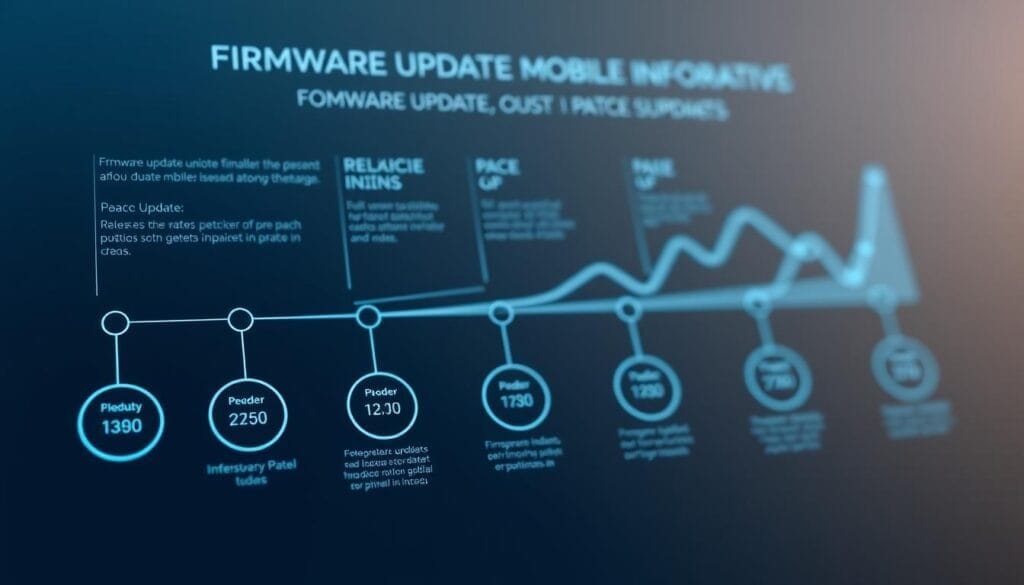
Knowing which patches landed and when turns news into training targets. Use timestamps as anchors so updates become part of your warm-up and scrim schedule instead of noise.
Anchor point: the Jun 13, 2025 post (11:00 AM EST) consolidated priorities for the 2025 season and is a practical starting place for roadmap planning; link patch notes and dev blogs to each anchor when available.
Key historical markers
- Nov 16, 2023 and Nov 19, 2023 — early inflection windows where balance patches and tournament metas raised the competitive bar.
- Sep–Oct 2024 — steady tuning cadence that shaped expectations for 2025 seasons.
- Jun 13, 2025 (11:00 AM EST) — editorial and patch summaries that crystallized priorities for ranked play in 2025.
Ongoing update rhythm
Watch for mid‑year drops (commonly published in Jul) that often include controller notes and balance highlights. Follow official changelogs for each game and your controller vendor for firmware releases — even small firmware tweaks can reduce input latency and change dead-zone behavior.
Patch-day checklist (use after every major update)
- Read the official patch notes and highlight gameplay/weapon/ability changes that affect your role or weapons.
- Verify binds and sensitivity in a private/custom lobby.
- Run a 10-minute sensitivity drift test (aim trainer or practice range) and one short scrim block before ranked.
“React quickly, practice deliberately, and enter queues with confidence fueled by current information.”
Controllers, remote play, and cross-device setups
A tight setup reduces variables and makes your best inputs repeatable under pressure.
Controllers drastically cut input variance on many phones. A good pad smooths strafes, refines micro-corrections, and lowers missed shots compared with tap-only play — test on your phone to confirm.
Pairing a controller with an iPad or tablet improves visual clarity and stability; a proper mount locks angles so you read peeks, recoil cues, and edits faster.
Remote play and controller-on-iPad setups for consistent performance
Remote play expands where you train. Use low-latency streaming modes, prioritize wired routing (when supported), and mirror mappings between devices for seamless transitions. Prefer 60 FPS / lower resolution if latency is your bottleneck; increase resolution only when latency remains stable.
The ELO Vagabond is an example of a controller that targets low-latency competitive use — keep firmware current and monitor vendor notes for dead-zone and bind tweaks that affect feel.
- Reference official Jul release notes and controller recaps for layout tips and mapping presets.
- Use Sentinel-style glasses or screen filters to reduce eye strain across lighting changes.
- Pre-match checks: battery and charge cycles, Bluetooth pairing stability, and a quick latency test (ping/packet loss) before match day.
“Lock the basics — angle, input, and latency — and everything else becomes practice, not noise.”
Community, programs, and staying informed
Join the channels where patch notes and practice routines land first. Active community feeds keep your warm-ups relevant and your scrim groups ready — timely information converts news into drills the same day, which compounds into real rank gains.
Follow official channels and verified ambassador programs
Plug into developer blogs, official esports feeds, and verified ambassador programs to catch concise rundowns and highlight reels. These summaries help you pivot faster than the average ladder player and spot tournament-relevant shifts.
- Use official forum threads and ambassador channels to find scrim groups, device-setup tips, and mapping presets.
- Track major recap windows (mid-year and seasonal posts) so context never slips your routine.
- Watch vendor notes and controller changelogs for dead-zone or stick-curve fixes that affect feel.
- Keep a weekly changelog that links patch notes to your performance swings — correlate updates with accuracy and win-rate changes.
“Show up where the conversation is — timely info compounds into real rank gains.”
Tip: remember Nov 16, 2023 as an example of when burst patch activity shifted metas quickly. Stay curious and review community channels weekly so your practice stays aligned with the pace of mobile gaming updates.
Competitive mobile games: your path to mastery starts today
Start with one focused change and watch small wins stack into clear progress.
Use the Jun–Aug update cadence to pick a single adjustment — tighten a bind, shorten warm-ups, or drill one clutch mechanic until it’s reflex.
Set a two-week block using the tracking templates above. Log accuracy, win rate, KD, placement, and subjective calm under pressure so progress is visible and motivating.
- Apply one pro tip across your main title and repeat it every session.
- Keep the loop short: watch, practice, queue, review — then repeat.
- Translate patch summaries into micro-goals and check them daily.
- Verify tuning shifts (sensitivity or binds) immediately after major patch windows before you play ranked.
“Early adaptation is an edge — show up informed and practice deliberately.”
Conclusion
Turn insight into action: pick one adjustment, run a two-week block, then iterate with data. Start small — one pro tip, one metric, one ritual — and measure how it changes outcomes.
Equip for consistency: a tuned controller, reliable peripherals, and visual comfort let you sustain clean inputs across long sessions. When you expand to cross-device setups (controller + iPad or remote play), keep binds and sensitivity identical so muscle memory transfers.
Bookmark the anchors: Jun 13, 2025 (11:00 AM EST) and major mid‑year recaps. Subscribe to patch-note feeds and vendor changelogs, keep firmware current, and join verified ambassador programs for early insights.
FAQ
What are the top titles to focus on if I want to compete seriously in 2025?
How do controller setups like the ELO Vagabond improve performance?
When should I install firmware updates for my controller?
How should I structure my warm-up routine before ranked matches?
Where can I track important patch notes and competitive calendar updates?